The glass fruit effect turns familiar produce into a polished little illusion. A strawberry can look cut from ruby crystal. An orange can catch the light like blown glass. A green apple can glow without losing its simple, fresh shape. That fast read is why the trend works in a feed: viewers understand the object, then pause to inspect the reflections, bubbles, and impossible shine.
Keep the recipe simple. Pick one fruit, one clear material change, and one lighting mood. That keeps the glass fruit effect crisp instead of cluttered. The best versions do not bury the subject under effects. They make one detail feel strange enough to earn a second look.
Why the glass fruit effect is popping
Fruit already brings a strong silhouette and a bold color. A good glass fruit effect keeps both easy to recognize. A material swap gives that familiar shape a twist without making the scene confusing. On a phone screen, translucent edges, hard highlights, and tiny air bubbles read quickly. The style also adapts well: it can feel sweet and glossy for a beauty post, sharp and editorial for fashion, or oddly satisfying for a short looping clip.
Start with a photo that has one clear subject and room around the fruit. Busy backgrounds compete with refractions. Side light or window light works especially well because it gives the glass something to catch. If the original photo is flat, ask for a soft key light from one side rather than a wall of sparkle.
1. Crystal strawberry close-up
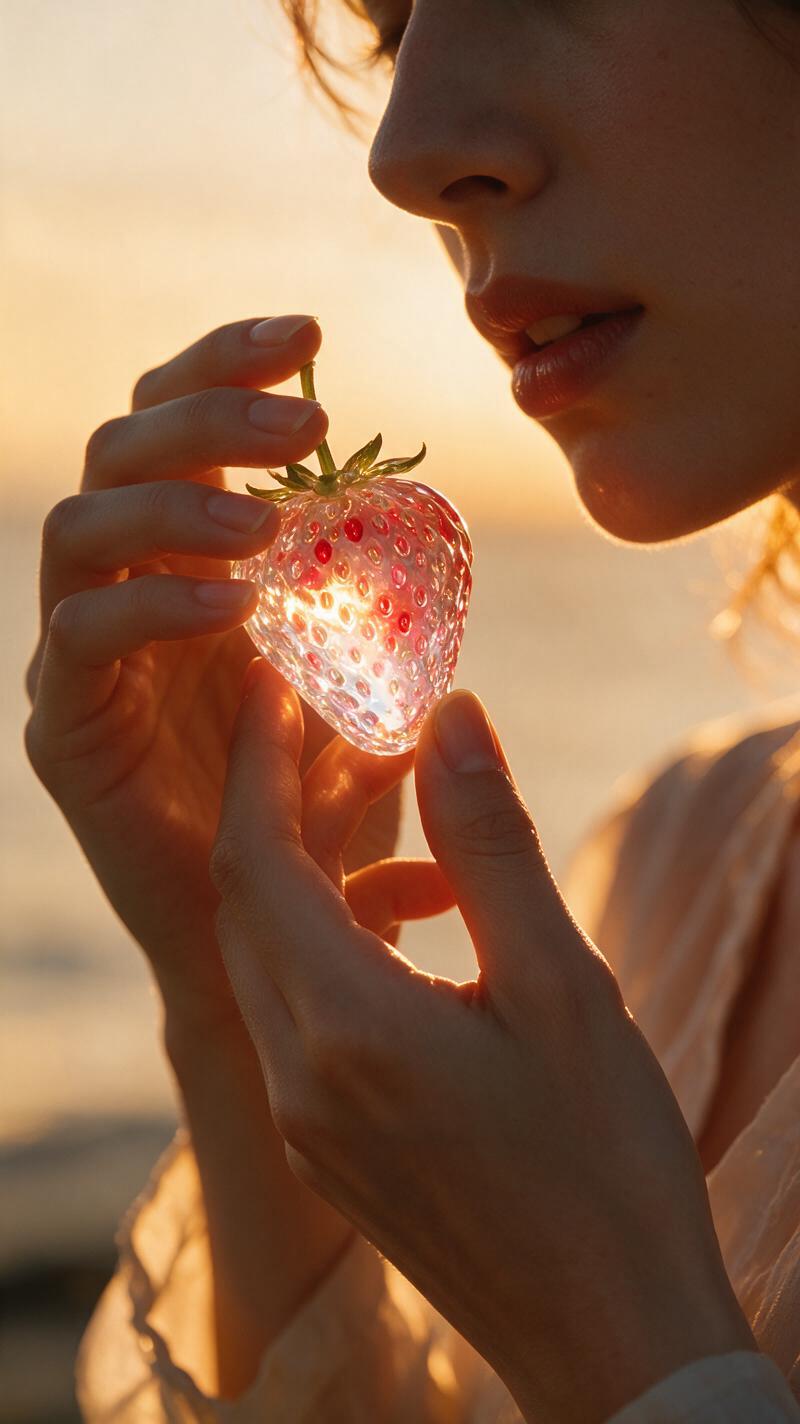
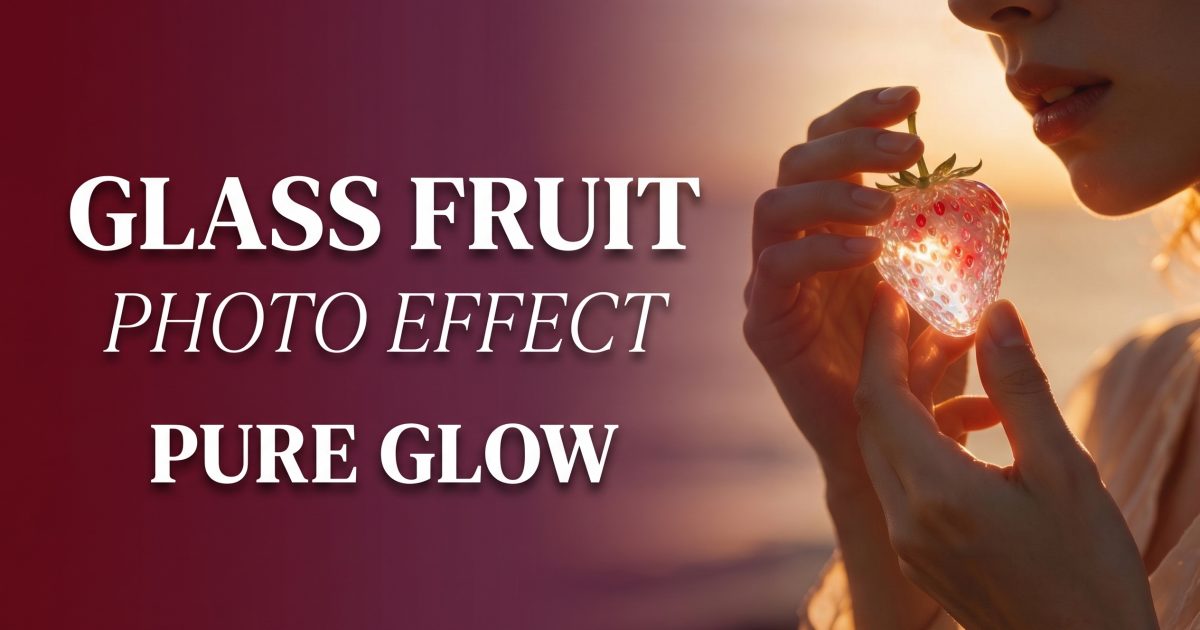
A strawberry is the easiest entry point because its seeds and heart shape survive the material change. This glass fruit effect feels especially convincing when those seeds stay visible. Use a close crop, a red or pink wardrobe accent, and a plain warm backdrop. Keep the fruit near a hand or cheek so the scale feels intentional. Ask for visible seeds beneath the surface, soft refractions, and a few imperfect bubbles. Those small flaws stop it from looking like a plastic ornament.
Example prompt: “Close portrait holding a ripe strawberry made of translucent ruby glass, visible seeds inside, warm late-afternoon window light, soft reflections, realistic skin and fingers, shallow depth of field, clean peach backdrop.”
This look suits a profile photo, a beauty reel cover, or a playful birthday story. Avoid a wide scene. The strawberry should own the frame.
2. Orange with a glass splash
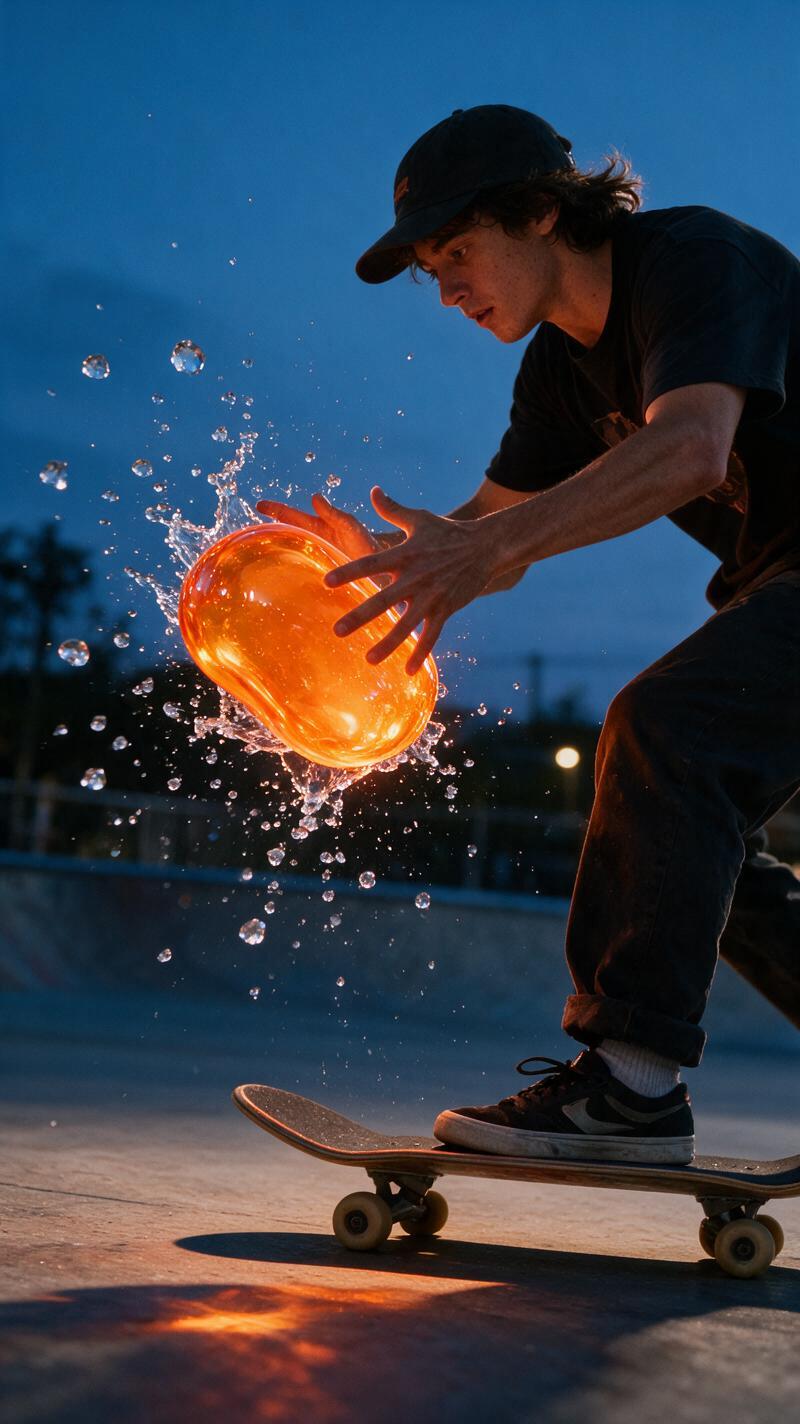
The orange version gives the glass fruit effect its most energetic look. Build it around a toss, a catch, or a quick turn toward the camera. Use a bright orange fruit with a few translucent droplets around it, but keep the splash restrained. Too many floating fragments hide the clean round form that makes the image readable.
Example prompt: “Editorial action photo of a person tossing a transparent amber glass orange, three suspended glass droplets, crisp contact shadows, sunlit studio, realistic hands and face, high-speed photography feel.”
For a short video, begin with the fruit already centered in the shot. Use a slow push-in or gentle orbit instead of a fast camera move. The reflections need time to travel across the surface. This is a strong choice for a launch teaser, a Reel thumbnail, or a food-and-fashion transition.
3. Soft green apple glow
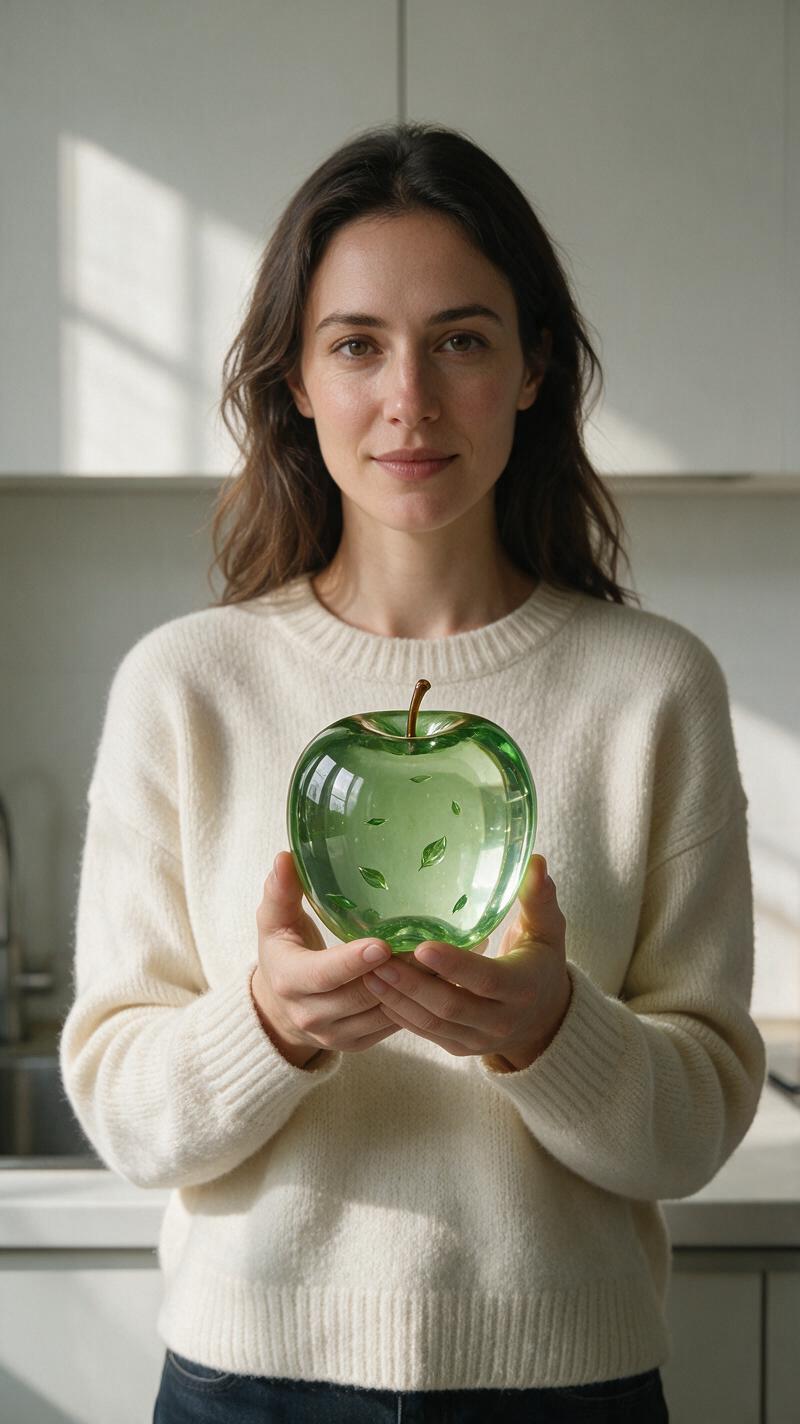
The green apple gives the glass fruit effect a calmer direction. Pair it with cream, gray, or denim and let daylight do most of the work. Keep the glass slightly frosted at the edges, then place a gentle internal glow near the core. A clean stem and a believable shadow matter here. They make the apple feel like an object in the room, not a sticker pasted over the portrait.
Example prompt: “Minimal fashion portrait beside a pale green apple made from frosted translucent glass, subtle inner glow, soft north-facing window light, neutral wardrobe, realistic table shadow, quiet editorial mood.”
Use this version for a polished carousel, a mood board, or a product flat lay. It also works well as a background visual for a wellness or stationery post because the color stays soft while the texture supplies the surprise.
4. Giant grapes, real attitude
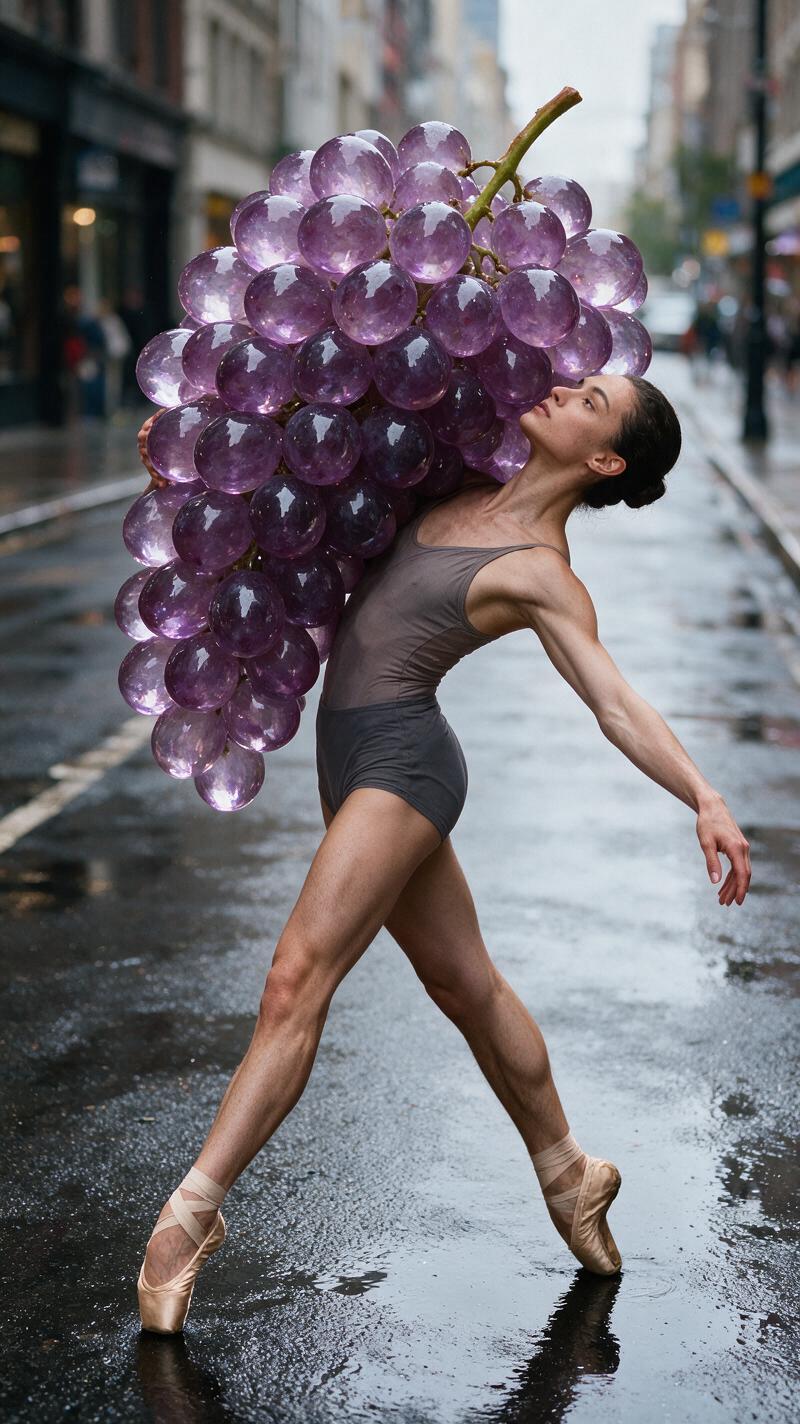
Grapes let the glass fruit effect go bigger. Use only one oversized bunch and anchor it with a clear pose, a handhold, or a surface shadow. The grapes should have slightly different sizes and a few darker purple tones inside the glass. Perfectly identical spheres look synthetic in the wrong way.
Example prompt: “Street-style fashion portrait with an oversized bunch of translucent violet crystal grapes resting on one shoulder, varied grape sizes, subtle internal bubbles, realistic fabric folds, late-day city light, grounded contact shadow.”
Check hands carefully before posting. If fingers touch the fruit, they need a convincing grip and a shadow at the contact point. This dramatic version fits an outfit post, album-art concept, or campaign key image. Give the oversized element space. Cropping it too tightly removes the joke.
How to get the glass fruit effect
- Choose a sharp portrait or a simple action photo. Faces, hands, and the fruit should not overlap too much.
- Pick one fruit and one dominant color. Red strawberry, amber orange, pale green apple, and violet grapes are reliable starting points.
- Name the material clearly: use phrases such as “translucent glass,” “crystal refractions,” “internal bubbles,” and “soft specular highlights.”
- Protect the human details. Add “keep the face, hands, clothing, and skin texture realistic” to the prompt.
- Set one light source. Window light, warm sunset light, or a single studio key light gives reflections a direction.
- Review the small details. Fix warped fingers, muddy fruit outlines, or shadows that point the wrong way before sharing.
For a video treatment, use the same visual recipe but reduce the moving parts. A slow turn, a drifting camera, or one ripple of light is enough. Fast cuts can turn fine glass texture into flicker. If the clip will loop, match the start and end pose so the motion feels intentional.
Styling details that make it believable
Use contrast with care. A dark background makes clear fruit pop, while a pale background gives it a softer catalogue feel. Match jewelry and props to the scene rather than making everything glass. One material swap is the hook. A reflective ring, a wet tabletop, or a glossy lip can support it, but too many shiny objects dilute the focal point.
These examples used an image-generation tool that supports controlled visual edits. The prompt does the heavy lifting: describe the fruit, material, lighting, and the details that must stay real. That control keeps the glass fruit effect consistent across a set of images. Then make a second pass with a tighter prompt if the first image gets the mood right but misses hands or shadows.
Where to use the look
Make a single bold image for a profile refresh. Build four fruit variations into a carousel. Use the orange splash as a Reel cover, or turn the apple into a clean product backdrop. The glass fruit effect also works for invitation art, playlist covers, and a themed party mood board. Keep the caption short. The visual already has plenty to say.
See more playful looks in the trending effects collection.
Try this effect in Bloom AI
Recreate these looks on your own photos and videos — free to start.
For a practical guide to describing the subject, material, and lighting, see Adobe Firefly’s prompt-writing guide.