The 80s family photo effect turns a current portrait into the sort of print that might surface in a shoebox: direct flash, warm color drift, big hair, loud clothes, and a little motion blur. It works best when the scene feels lived in. Think cake crumbs on a coffee table, an aunt caught laughing, or someone adjusting a roller skate before the camera clicks.
The trick is restraint. An 80s family photo effect should feel like a real moment from one household, not a costume-party poster. Start with a clear source photo, give the scene a relationship and location, then add only a few period cues. That keeps the faces recognizable and the nostalgia believable.
How to build an 80s family photo effect
For each look, make the people the main subject. Add the decade through lighting, texture, and props rather than changing every detail at once. A direct on-camera flash, gentle grain, and slightly uneven color are usually enough. If the result starts to look too polished, ask for a candid expression, a crooked crop, or one person looking away from the lens.
1. The living room laugh
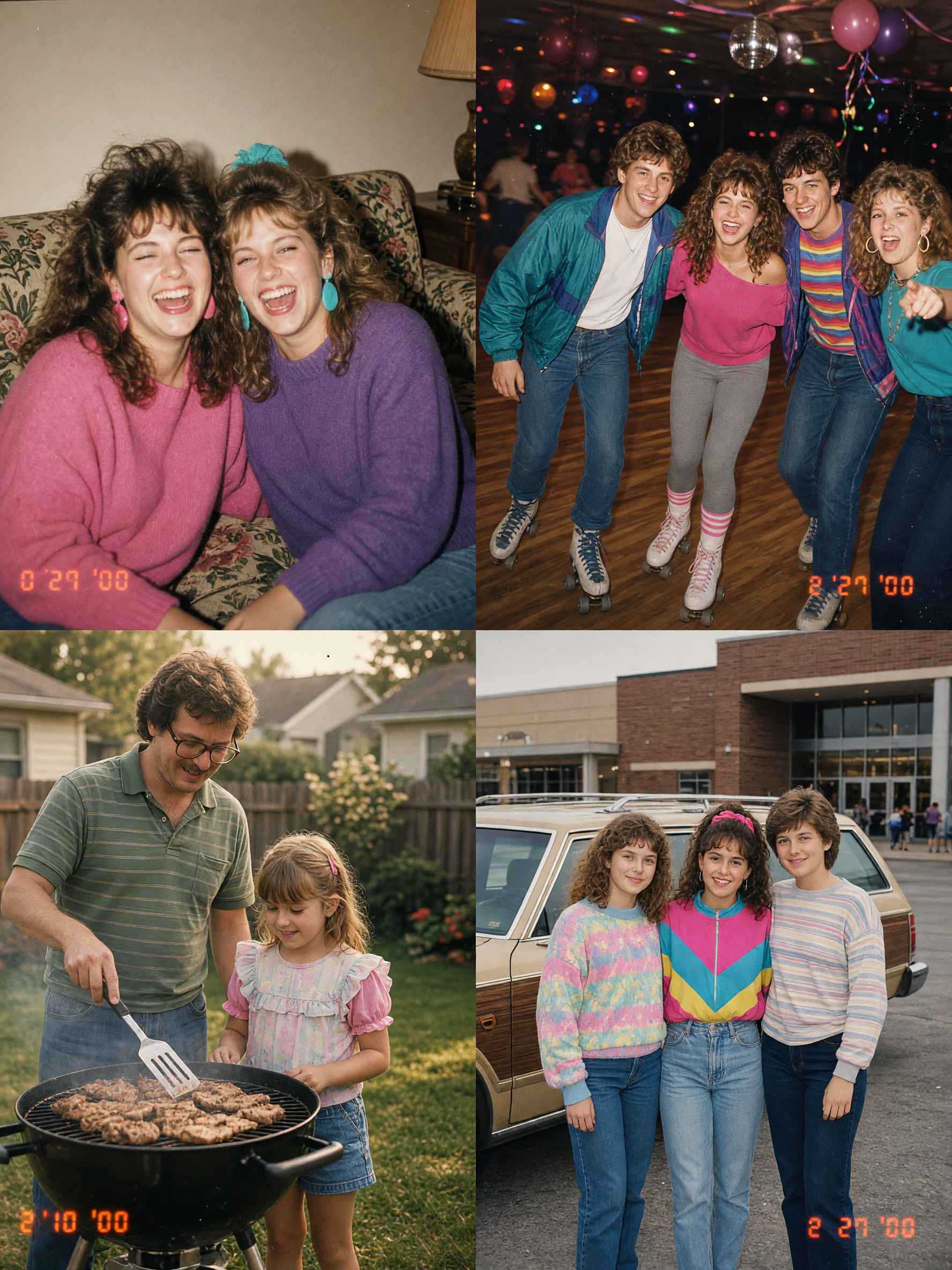
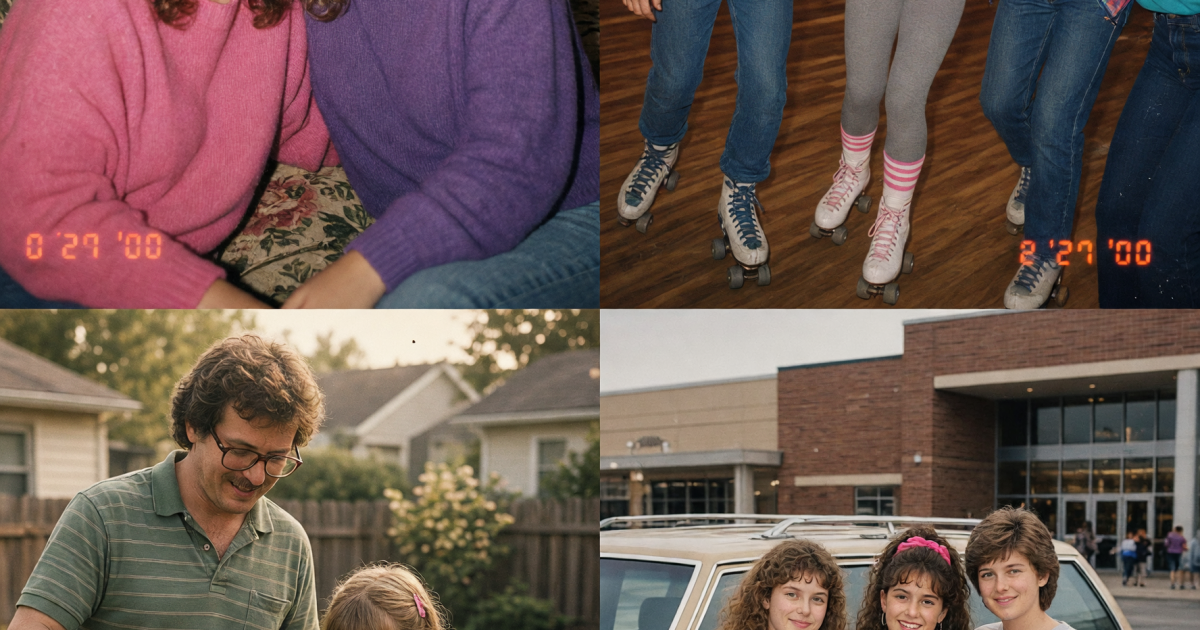
This is the easiest 80s family photo effect to make personal because almost any home photo can carry it. Use a sofa, patterned wallpaper, a lamp, or a stack of board games as a backdrop. The room does not need to be a museum-perfect 1980s set. One floral fabric, wood trim, or framed family photo gives the eye enough context.
How to style it
Put two or three people close together and give them a small action: opening a birthday card, sharing a joke, or passing a bowl of popcorn. Let the flash hit faces and leave the corners darker. Keep the pose imperfect. A shoulder cut off by the edge of frame can sell the snapshot feeling better than a centered group portrait.
Example prompt: “Candid family laugh on a floral sofa in a modest 1980s living room, direct camera flash, warm slightly faded print colors, subtle film grain, one person mid-laugh, casual cropped snapshot, realistic faces.”
Use this version for family-announcement slides, a grandparents-day post, or the opening image in a nostalgia carousel. It feels warm without needing a big set piece.
2. The roller rink birthday
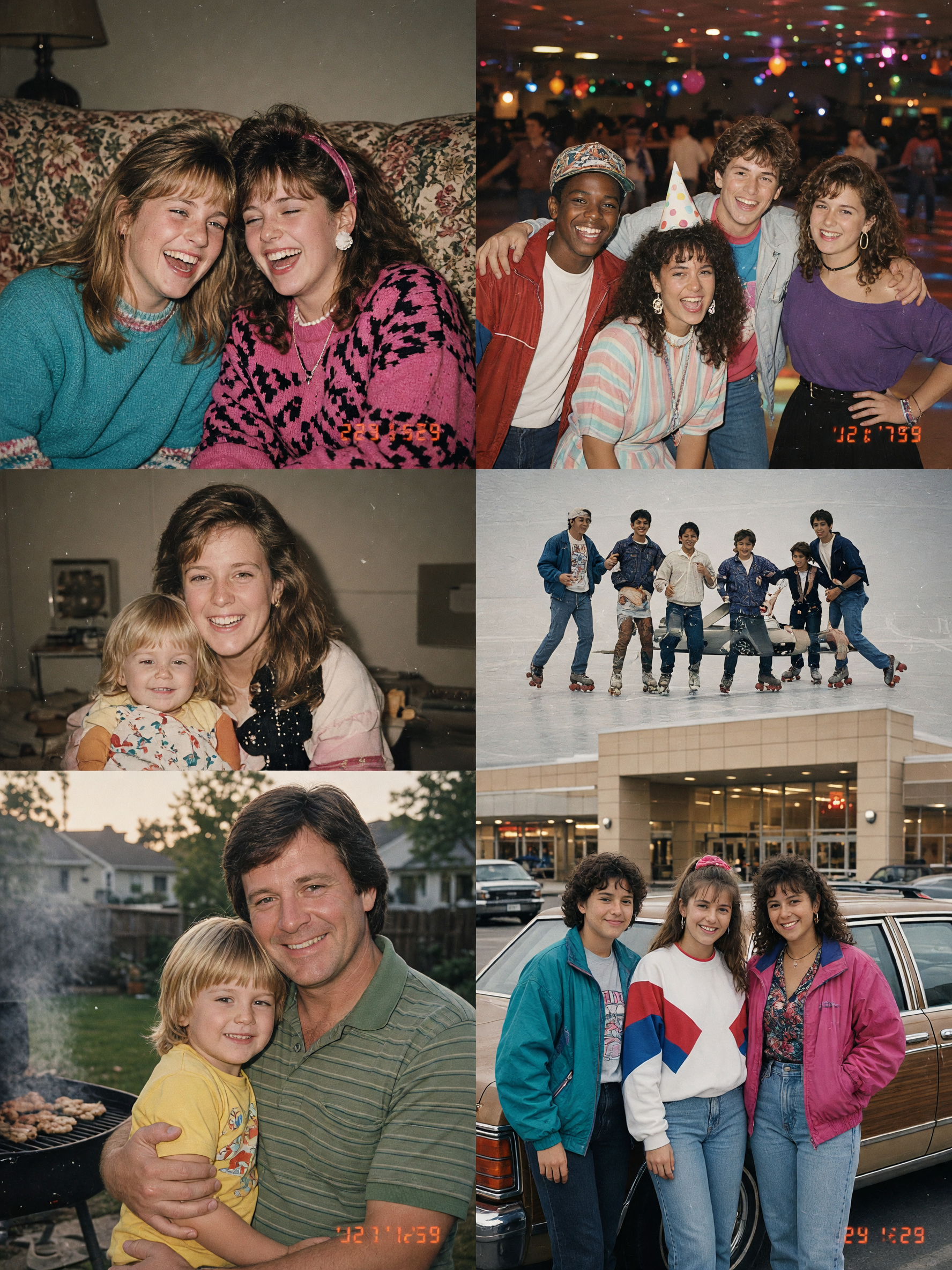
For a louder take on the 80s family photo effect, move the action to a roller rink. Neon signs, striped socks, paper birthday hats, and a shiny rink floor create color without crowding the picture. Keep the people close to camera so the scene reads as a family memory first and a themed backdrop second.
How to style it
Ask for a direct flash with the background falling a little dark. Add one moving detail, such as a raised skate or blurred wheels, but keep eyes sharp. Bright magenta and electric blue can work here, though one warm skin-tone cue helps the image avoid a cold nightclub look.
Example prompt: “1980s roller rink birthday snapshot, siblings in colorful windbreakers near a birthday cake, direct flash, neon rink lights behind them, slight motion blur on skates, warm film grain, candid disposable-camera framing.”
This scene suits birthday invitations, short video cover frames, and a carousel that needs a high-energy second slide. Crop vertically for Stories, but leave some floor in the frame so the skates make sense.
3. The backyard barbecue
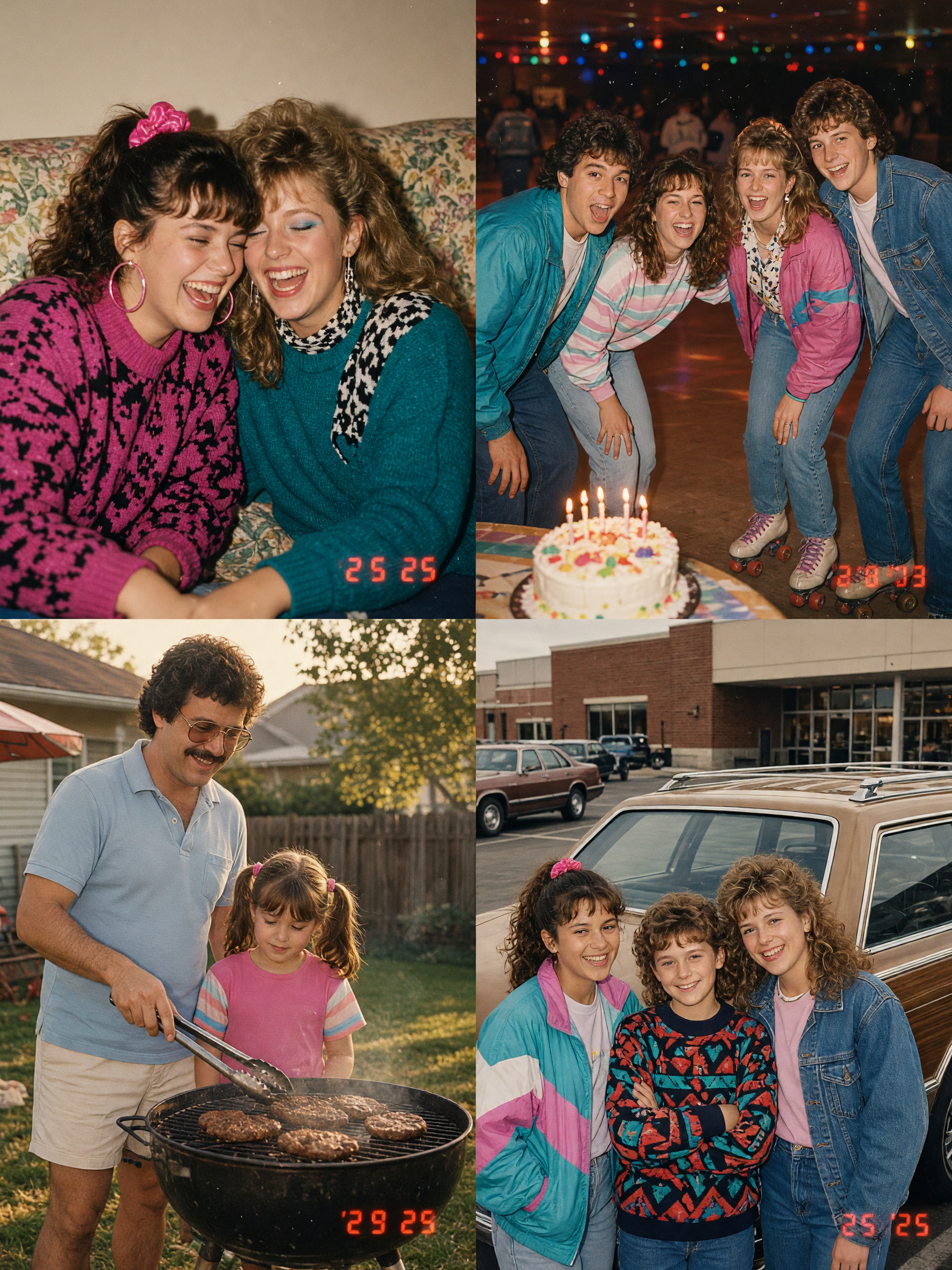
A backyard scene makes an 80s family photo effect feel less styled and more found. Use folding lawn chairs, a small grill, plastic cups, or a red cooler. Late afternoon is ideal: the background holds soft summer light while a flash gives faces that familiar bright pop.
How to style it
Build in a tiny story. Someone can hold tongs, a kid can make a face at the camera, or a relative can wave from behind the table. Avoid a spotless lawn and matching outfits. A little clutter, a partly cropped arm, and mixed colors make the image more convincing.
Example prompt: “Relaxed 1980s backyard barbecue family snapshot, charcoal grill, red cooler and folding chairs, relatives laughing at dusk, direct flash on faces, sun-faded colors, light instant-film grain, unposed family moment.”
Try this for summer recaps, reunion invitations, or a before-and-after reel. The everyday setting makes the effect easy to repeat across several real photos while keeping each image distinct.
4. The mall-day portrait
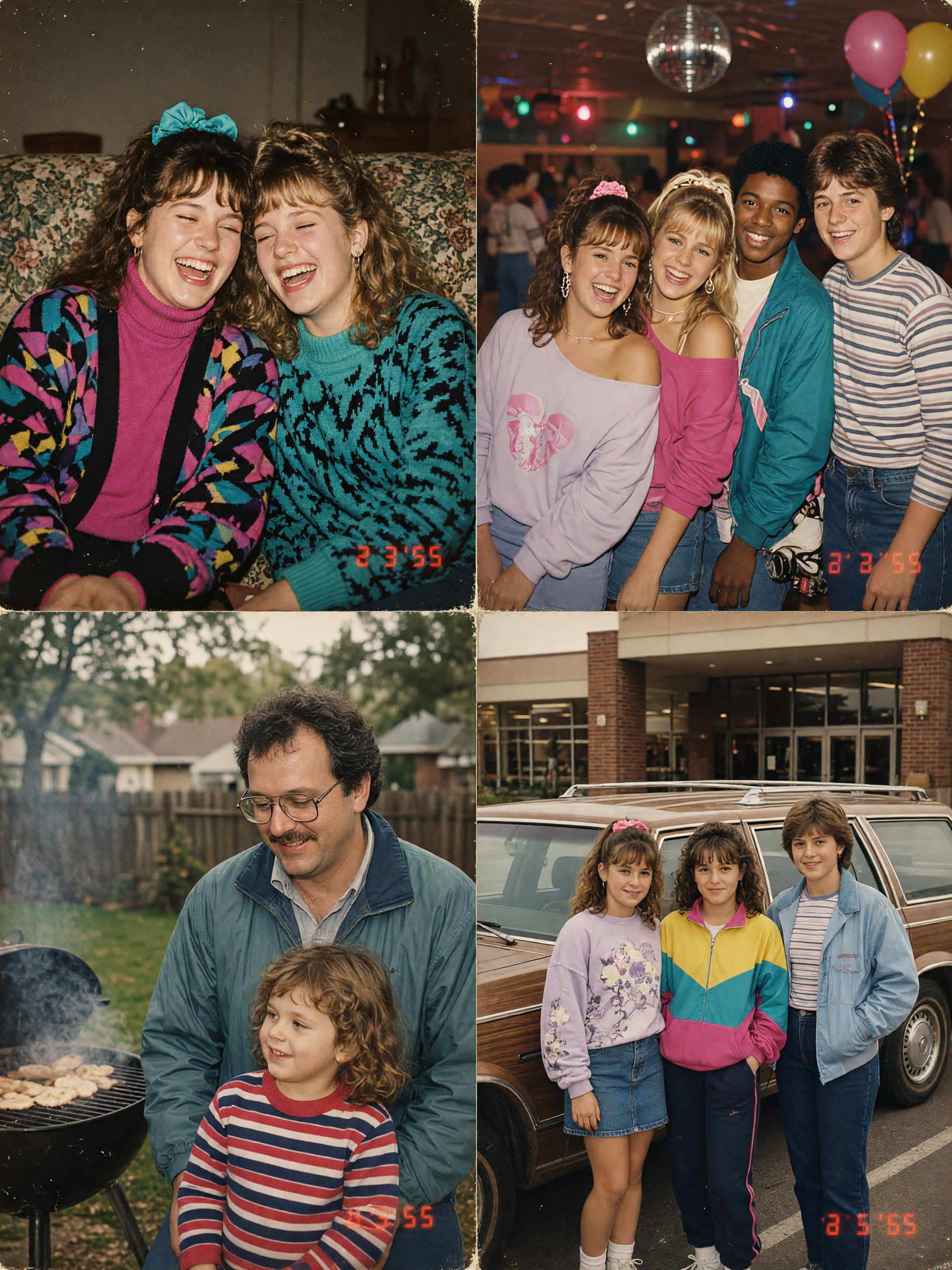
The mall-day version gives the 80s family photo effect a little more attitude. Use a parking lot, shopping bags, a station wagon, or a food-court tray. The best images look like someone used the last frame on a cheap camera before everyone climbed back into the car.
How to style it
Choose one era signal that feels natural: a denim jacket, oversized sweatshirt, cassette player, or boxy car. Do not pile them all into the same frame. Add a slightly off-center crop and small flash reflections on glass or chrome. That visual mess is part of the charm.
Example prompt: “Casual 1980s family mall parking lot snapshot, parent and teen beside a boxy station wagon, shopping bags and denim jackets, direct flash, slight red-eye reduction look, faded photo print, candid off-center framing.”
Use this look for outfit posts, throwback captions, or a playful profile image. It also pairs well with the softer scenes above because it changes the location without losing the same print texture.
Production tips that keep the snapshot believable
Feed the edit a source image with a visible face and simple separation between people. Busy backgrounds can turn grain into mush. Describe the camera behavior instead of asking for “80s” alone: direct flash, warm print fade, mild grain, slight blur, and an accidental crop are clear instructions. The image-editing model used for these examples supports photo restyling, but the scene direction matters more than the tool.
Make two versions of the same prompt. One can be cleaner for a profile photo; the other can have stronger flash and a rougher crop for a carousel. Compare them at phone size. If a prop only reads when zoomed in, remove it. A good 80s family photo effect lands in a second: real people, a quick flash, and a specific memory.
For more photo ideas with a tactile, found-photo feel, browse these trending effects.
Try this effect in Bloom AI
Recreate these looks on your own photos and videos – free to start.