The autumn editorial photo effect gives a plain portrait the mood of a small fashion spread: soft shadow, purposeful color, and one detail that feels caught between seasons. It works because it does not try to turn every frame into a pumpkin patch. A single leaf, a coffee cup, or a fogged window can do the work.
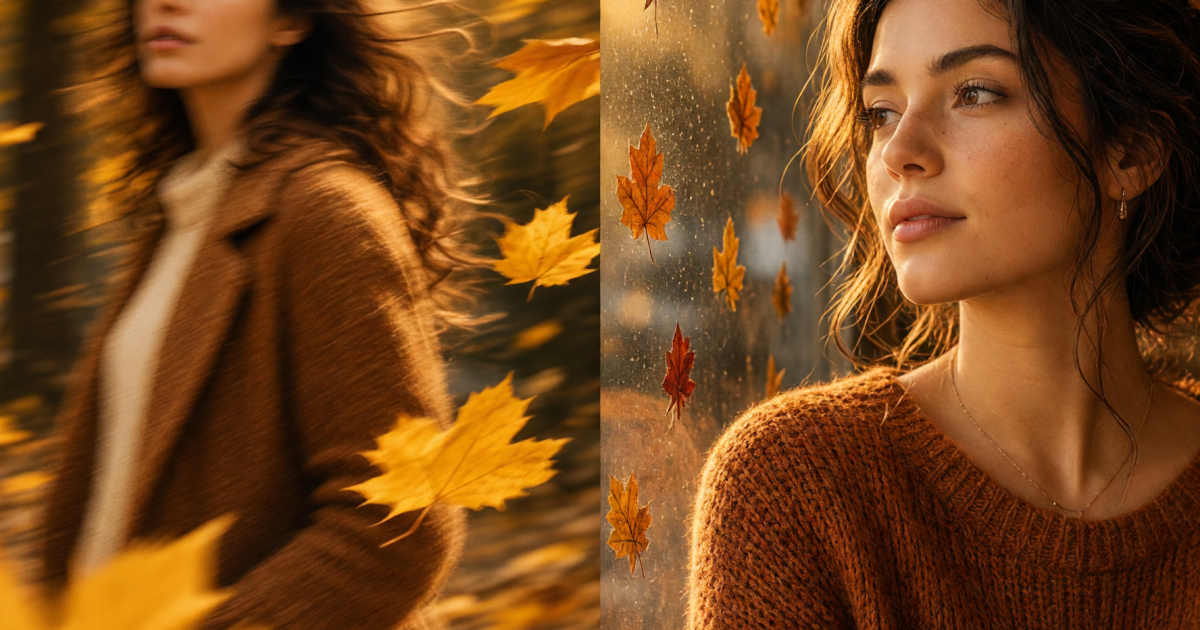
Autumn editorial photo effect look 1: golden-leaf motion
This look has movement. The subject stays sharp while one or two leaves pass close to the lens. It feels more like a candid from a magazine shoot than a posed park photo. Use a portrait with a clean face, visible shoulders, and room around the head. Busy backgrounds make the leaves disappear.
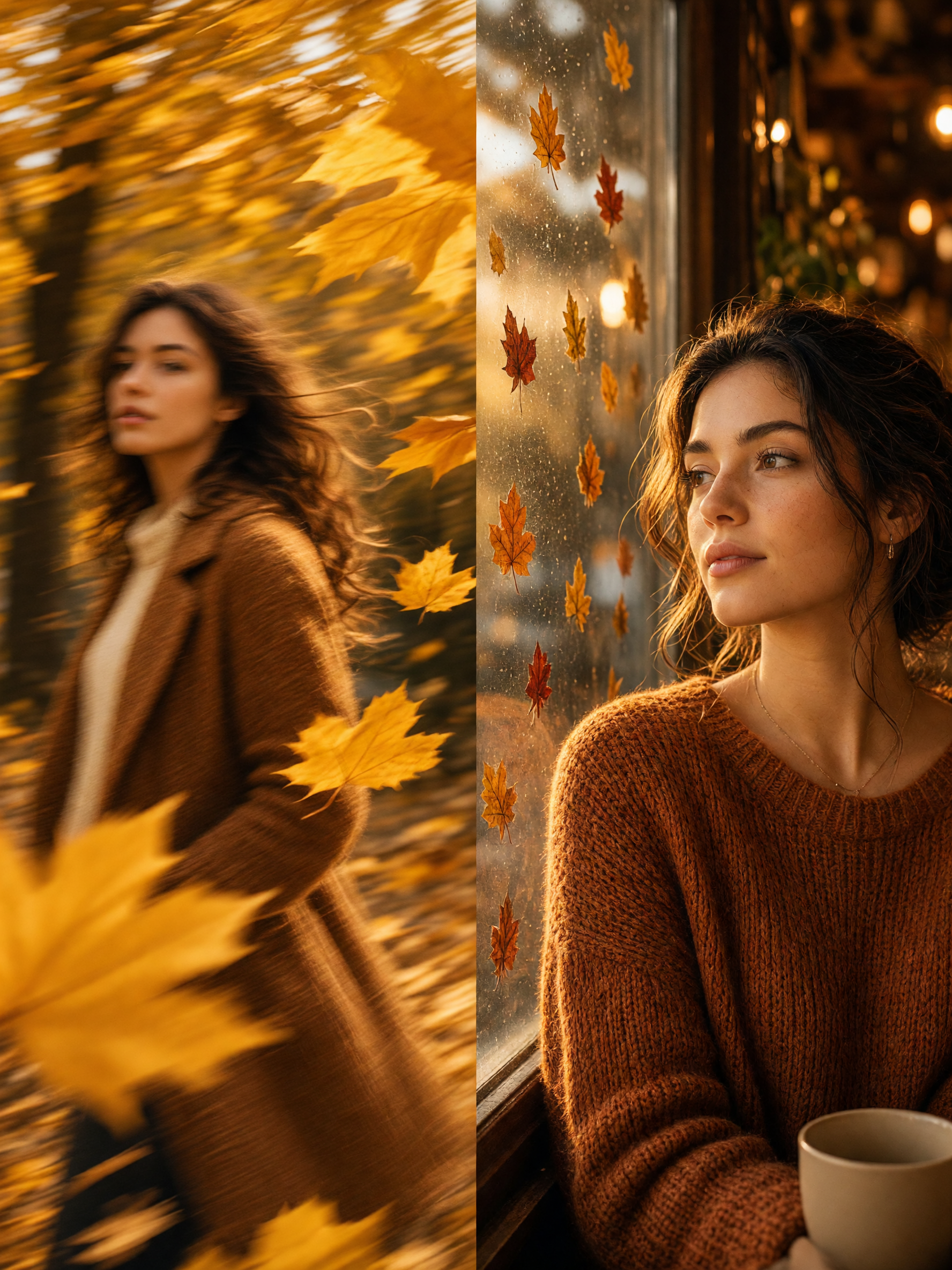
How to build it
- Start with daylight or a bright overcast portrait. Avoid harsh noon shadows.
- Choose one hero color: marigold, rust, or deep red. Let the rest of the scene stay muted.
- Ask for only a few leaves in the foreground. A wall of leaves reads like a costume set.
- Keep skin texture natural and specify editorial color grading rather than heavy beauty retouching.
Try this prompt: Editorial autumn street portrait, subject in a camel wool coat, two golden leaves moving across the foreground with gentle motion blur, soft overcast daylight, muted brick background, natural skin texture, 35mm fashion magazine photo. If the first result feels too neat, add off-guard expression or wind lifting one strand of hair. Small imperfections make the image feel lived in.
For outfits, camel, charcoal, cream, and dark denim hold up well against warm leaves. Save shiny orange jackets for a bolder, almost 1970s version. A vertical crop suits a Story cover. A 4:5 crop gives a feed post more breathing room.
Look 2: coffee-window editorial
The second autumn editorial photo effect is quieter. Put the subject beside a window, add a cup or book, and let warm side light carry the scene. The goal is not a generic cafe selfie. It is a close, reflective portrait with enough negative space for the eye to rest.
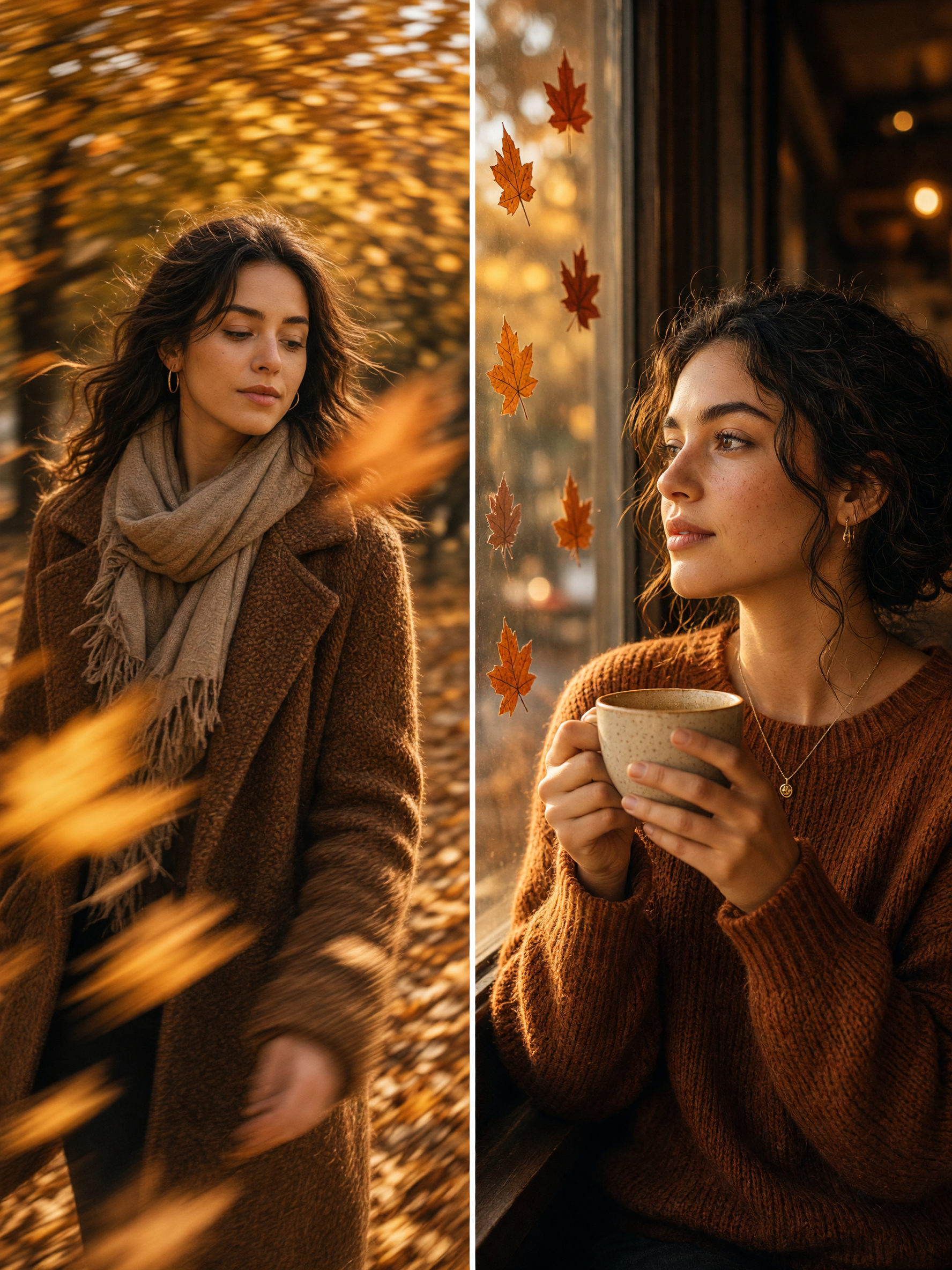
How to build it
- Use a photo where the face turns slightly toward a window. Side light shapes cheeks and hair better than front flash.
- Pick one prop with a clear silhouette, such as a ceramic cup, paperback, or knit scarf.
- Ask for amber window light, subtle film grain, and a soft background. Do not ask for every autumn detail at once.
- Leave one uncluttered edge in the frame if the image will carry text on a carousel or Reel cover.
Try this prompt: Intimate coffee-shop editorial portrait by a rain-speckled window, oversized oatmeal knit, hands around a matte ceramic cup, late-afternoon amber light, soft film grain, restrained autumn palette, candid fashion editorial. Swap the cup for a book or headphones to make it feel more personal. For a slightly moodier take, request a blue-grey rainy street outside and warm interior light on the subject.
Watch the color temperature. If every surface turns orange, the result loses depth. Keep the window area cool or neutral, then let skin and one fabric detail carry the warmth. That cool-warm contrast is what gives this look its polished editorial feel.
Prompt and production tips that keep the look believable
Write the mood first, then the subject, styling, light, and camera feel. That order keeps the prompt readable and makes it easier to change one choice without rebuilding everything. The image tool used for the original examples can create a new scene or restyle a source photo; its official model page supports both workflows.
Use phrases such as restrained palette, natural skin texture, soft film grain, and editorial side light. Skip vague requests like make it aesthetic. Give the image a job instead: carousel opener, profile refresh, fall outfit post, or a before-and-after edit. The output will make stronger choices when the intended use is clear.
For source-photo edits, choose an image that already has decent light and a visible face. Keep the person, pose, and expression stable, then change only the environment and styling. If hands or accessories look odd, simplify the next request. Fewer props usually give a cleaner second pass.
Easy ways to use these two cozy looks
Golden-leaf motion works for outfit transitions, seasonal announcements, and music posts that need energy. The coffee-window version fits reading lists, quiet weekend recaps, skincare content, and a low-key profile update. Pair either with a short caption. Let the image do most of the talking.
Want a different seasonal texture? The scrapbook photo effect adds taped edges and paper layers without losing the same warm, collected mood. Keep one visual idea per post. That is the difference between an editorial image and a cluttered one.
Try this effect in Bloom AI
Recreate these looks on your own photos and videos – free to start.