
The comic book photo effect turns a regular shot into a freeze-frame with a pulse. Ink edges, halftone shadows, and loud color blocks make a portrait feel pulled from a graphic story. The best version keeps the person recognizable. It adds attitude without burying the face under a costume.
This look works because it reads fast on a phone. A clear pose catches the eye first. Then the print dots, flat color, and linework reward a second look. Use it for a profile refresh, a birthday carousel, an event poster, or the opening frame of a short video.
Why the comic book photo effect pops
Comic art has a built-in visual language. Thick outlines show where to look. A limited palette keeps the frame clean. Halftone dots give a photo texture that feels printed instead of polished to death. Start with one strong idea rather than piling on explosions, speech bubbles, and stickers.
Choose a photo with a defined subject and a simple background. A turn of the shoulder, a raised hand, or a moving bike creates a tiny story before the edit begins. Direct flash can work well, especially for diner and street scenes. Soft window light works for a quieter hero portrait.
1. Rooftop hero shot
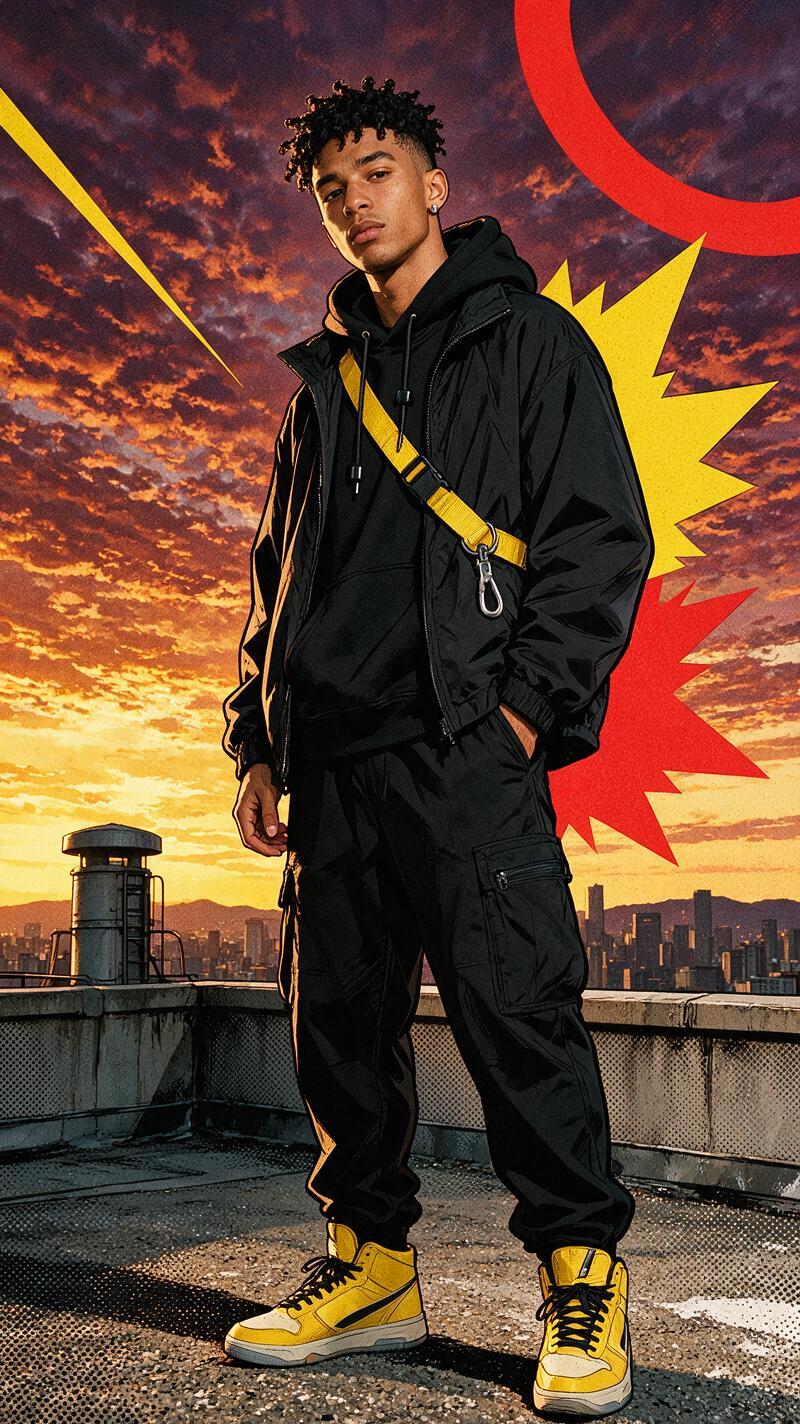
A rooftop gives the comic book photo effect room to breathe. Shoot from slightly below eye level and place the subject against open sky or a clean wall. A jacket moving in the wind adds shape without needing an action pose.
Try this prompt direction: Turn this rooftop portrait into a modern comic book cover with crisp black ink outlines, red and cobalt color blocks, subtle halftone shading, and a recognizable realistic face. No text. Keep the palette to two main colors plus black. Too many colors make the frame look like a random filter.
Use this look for a personal announcement, a musician teaser, or the first slide in a carousel. Crop it chest-up for an avatar. Keep more sky if it will become a story cover.
2. Neon motorbike panel
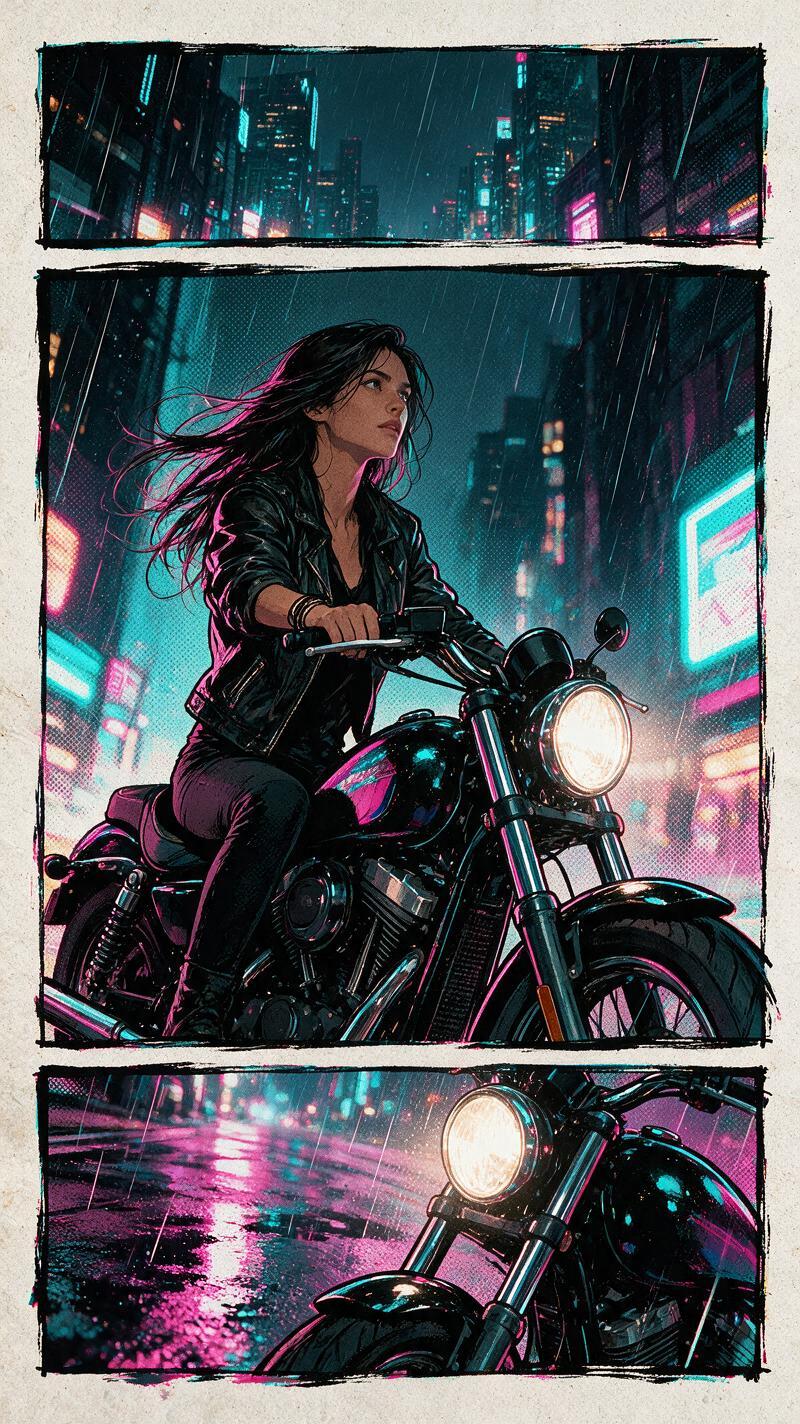
Night scenes already carry contrast, so this version needs restraint. Put the rider or subject in focus and let the lights become simple shapes behind them. A parked motorbike works as well as a moving one. Safety first: stage the photo while stopped, then let the edit create the speed.
Try: Create a neon comic book photo effect from this night motorbike portrait. Preserve the face and outfit. Add electric blue and magenta signage, bold ink contours, limited halftone texture, and motion streaks only in the background. No words or logos.
For a Reel, use the normal photo for the first half-second, then cut to the comic version on the beat. That small reveal feels more intentional than a slow dissolve.
3. Diner dance scene
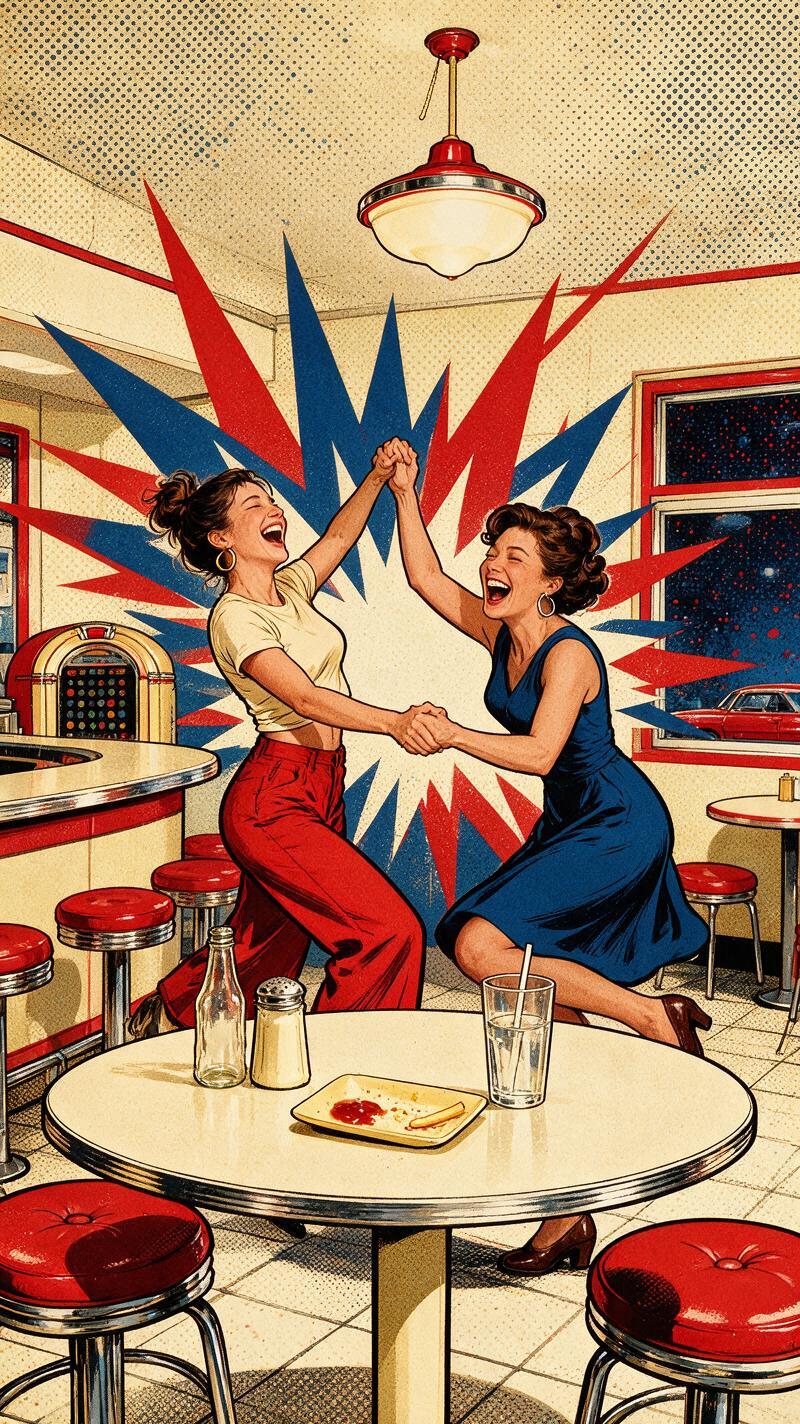
This is the social version. A booth, a milkshake, a checkerboard floor, or a flash-lit table gives the edit enough personality. Keep the group small. Two or three people stay readable after the effect adds outlines around faces and clothes.
Try: Make this diner photo look like a bright pop-art comic panel. Keep every person recognizable. Add clean black outlines, warm yellow and cherry red blocks, soft halftone shadows, and a candid flash-photo feel. No captions.
Ask friends to hold one clear gesture: a raised glass, a laugh toward camera, or a hand under the chin. Tiny gestures matter more than elaborate props. This look suits party recaps, friend-group posts, and invitations.
4. BMX action frame
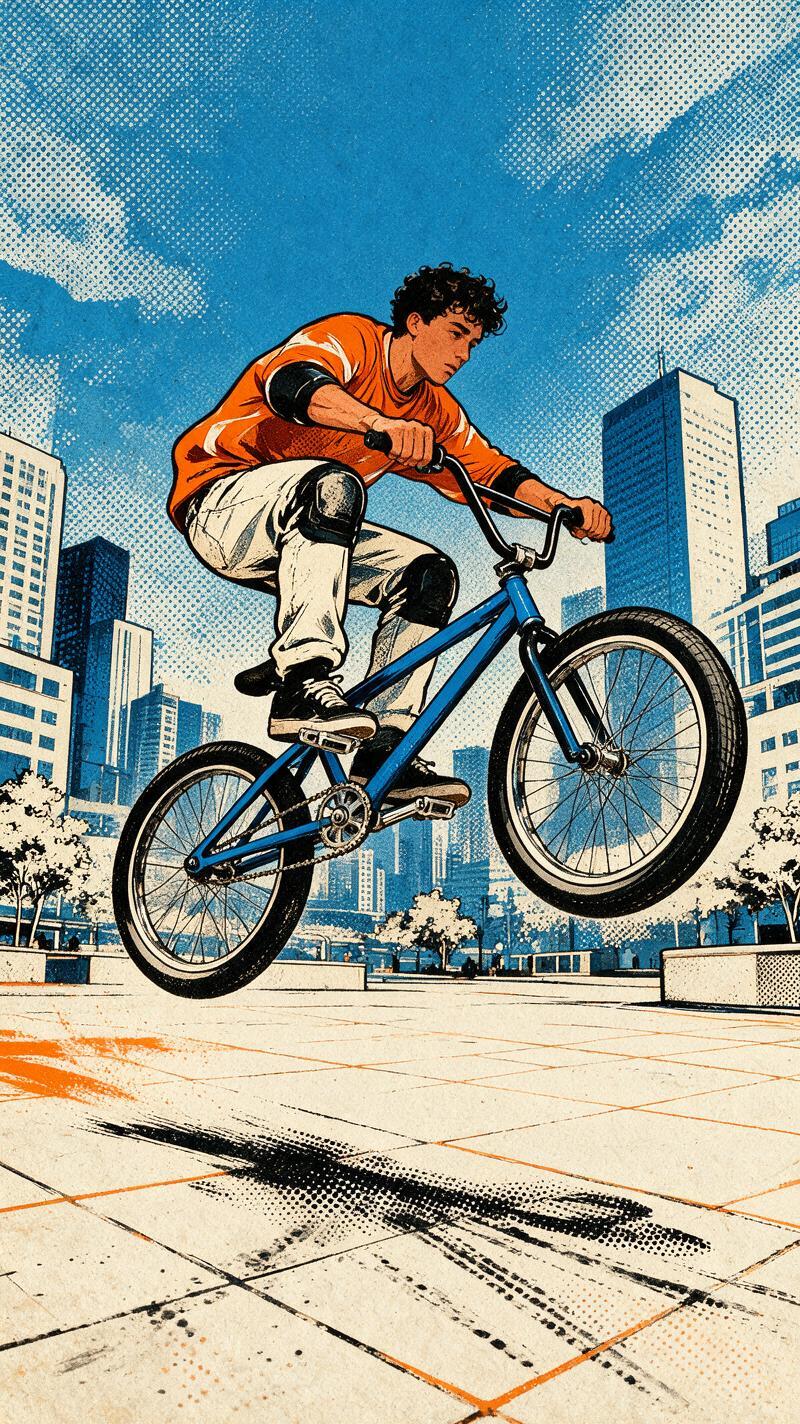
Action needs a readable silhouette. Shoot the rider against open pavement, a wall, or the sky. Avoid a background full of rails and signs because the edit may turn every object into another heavy outline. A small jump or a still pose with one foot on a pedal is enough.
Try: Transform this BMX image into a dynamic comic book action frame. Preserve the bike shape and the riders face. Add bold inking, black and yellow print shading, a few controlled speed lines, and a clean graphic background. No text.
Use this format for sports clips, skatepark recaps, and a thumbnail that needs to read at a glance. Keep real riding separate from the edit. The effect should amplify a safe photo, not suggest a trick to copy.
How to get the comic book photo effect
- Pick a photo with one clear subject, visible eyes, and a pose with shape.
- Describe the linework, halftone texture, and a two- or three-color palette.
- Say what must stay real: face, hair, outfit, bike, or group members.
- Ask for no text unless it matters. Fake lettering often distracts from a strong image.
- Make two versions. One close crop for a profile and one wider frame for a post or video cover.
A current image-generation model can help explore clean comic styling. The key choice remains the source photo. Give the effect a good pose, a clear subject, and one mood to build around.
More ideas live in the trending effects collection. For another illustration-led option, see the AI anime filter guide.
Try this effect in Bloom AI
Recreate these looks on your own photos and videos – free to start.





1 Comment